The SVG Quishing Threat: How Scammers Use Scalable Vector Graphics to Bypass Email Firewalls
The corporate email landscape is currently facing a silent and rapid transformation in how malicious payloads are delivered. For years, secure email gateways and automated inbox filters successfully protected enterprise environments by scanning traditional file attachments like executable files, compressed zip folders, and JavaScript files. However, threat actors have found a major blind spot in standard security architecture. In 2026, cybersecurity intelligence reports have flagged a massive surge in a highly specialized attack vector: malicious Scalable Vector Graphics, commonly known as SVG files, used to deploy QR code phishing or quishing.
To understand why this specific threat is accelerating so quickly across the global tech sector, you have to look at the unique DNA of an SVG file. Unlike traditional raster images such as JPEG or PNG files, which are static grids of pixels, an SVG file is actually written in pure XML code. It is an image constructed purely out of text-based instructions that tell a web browser exactly how to draw shapes, lines, and colors. Because it is natively code-based, an SVG file can also embed active hyperlinks, scripts, and interactive web elements directly inside the graphic itself.
This architectural design creates a massive problem for standard security filters. When an automated email firewall reviews a typical inbound corporate message, it reads an incoming SVG attachment simply as clean, harmless graphic text. It does not trigger the standard malware signature alarms that an attached program or infected document would. As a result, these malicious graphics sail directly into the user inbox with an exceptionally high delivery success rate.
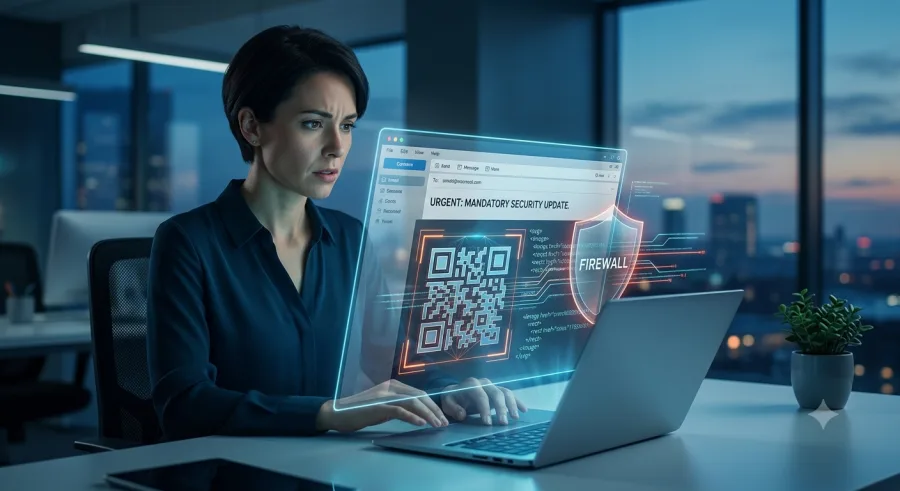
Once the email successfully lands, the actual exploitation relies on human psychology and cross-device redirection. When an employee opens the attached SVG file, it renders flawlessly inside their web browser, typically displaying a hyper-realistic spoof of an official corporate document. The most common lures observed this year include urgent payroll updates, mandatory security compliance notifications, or end-of-quarter financial statements. Embedded directly in the center of this vector graphic is a crisp, high-resolution QR code.
The security breakdown occurs the moment the employee decides to scan that QR code using their personal mobile device. By moving the interaction from a managed corporate laptop to a private smartphone, the attack completely breaks the perimeter of corporate security controls. Personal smartphones rarely have the same level of advanced endpoint protection, secure DNS routing, or web-filtering infrastructure that protects the primary corporate workstation.
The QR code acts as a high-speed transit tunnel, directing the mobile browser to a sophisticated adversary-in-the-middle phishing site. These spoofed landing pages are designed to perfectly mimic standard enterprise login portals, such as Microsoft 365 or company single sign-on gateways. Because the employee believes they are performing a standard verification step, they input their primary corporate credentials. Advanced phishing kits then intercept these credentials along with multi-factor authentication session tokens in real time, granting attackers immediate, unauthorized access to the corporate network without ever having to drop a single byte of malware onto the company computer.
Defending against this evolving vector requires a fundamental shift in user awareness and technical policy. Organizations can no longer assume that an attachment is safe simply because it looks like a corporate logo or a clean graphic document. Security teams should consider adjusting their email gateway configurations to treat incoming SVG attachments from external sources with the same high level of scrutiny applied to active code scripts.
Furthermore, training programs must adapt to teach employees about the specific dangers of cross-device redirection. A simple corporate standard should be established across every department: never use a personal mobile device to scan a QR code delivered through an email attachment. If an urgent corporate action or security update is actually required, employees should navigate to the internal company portal independently through their secure browser rather than following an unverified graphic link.
By understanding how modern threat actors exploit file architecture to bypass traditional security perimeters, businesses can proactively close the gap on quishing campaigns and maintain a truly resilient digital environment.
Is your brand being impersonated?
PhishPin finds lookalike domains, fake profiles and phishing kits that copy your brand - and gets them taken down. Get a confidential 24-hour audit.
Get my free audit